

Pick a date range
Choose the last 7, 14, 30 or 90 days, or the last year. The default is 30 days.Sales
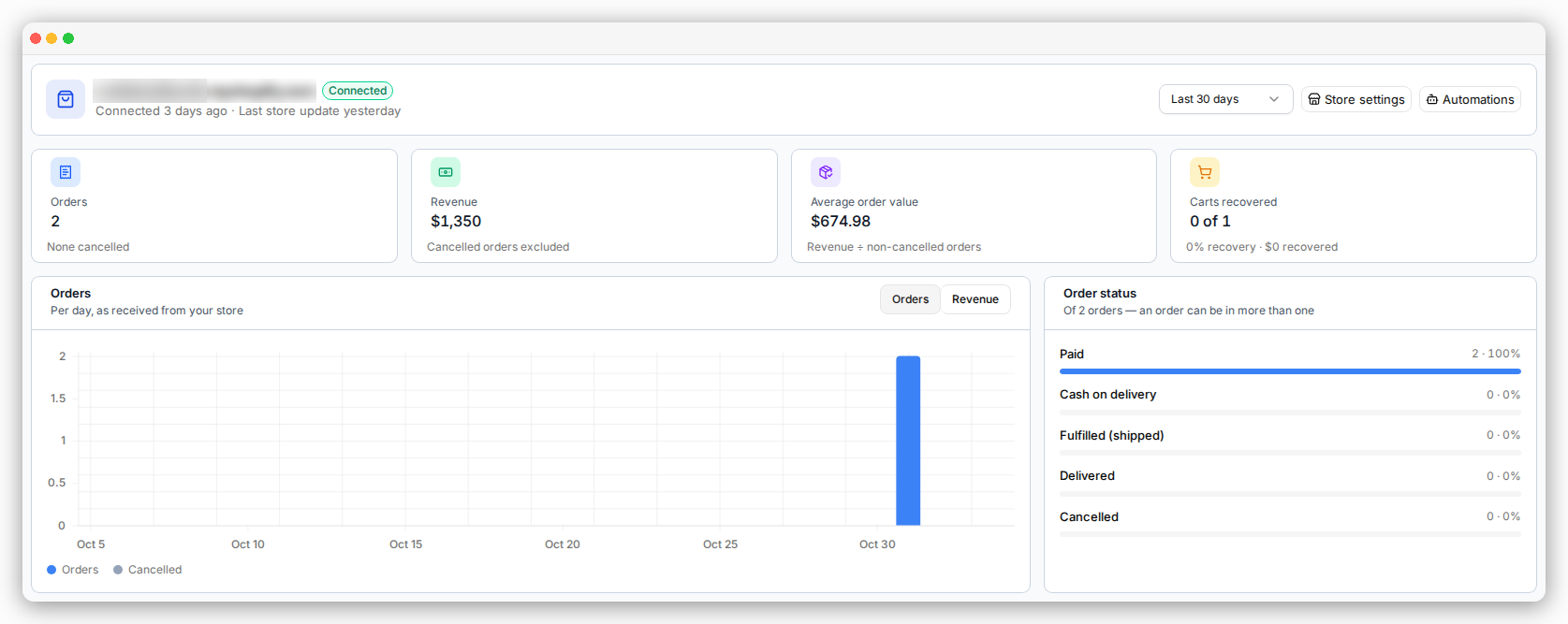
- Orders — how many orders were placed.
- Revenue — the total value of orders that were not cancelled.
- Average order value — revenue divided by the number of orders.
- Order status — how many orders are Paid, Cash on delivery, Fulfilled (shipped), Delivered or Cancelled. One order can be in more than one group. A cash-on-delivery order can also be Delivered, for example.
Only orders placed after you connected your store are counted.
If your store uses more than one currency, revenue uses the currency of most orders.
Orders in other currencies are counted, but their value is not added.
Abandoned cart recovery
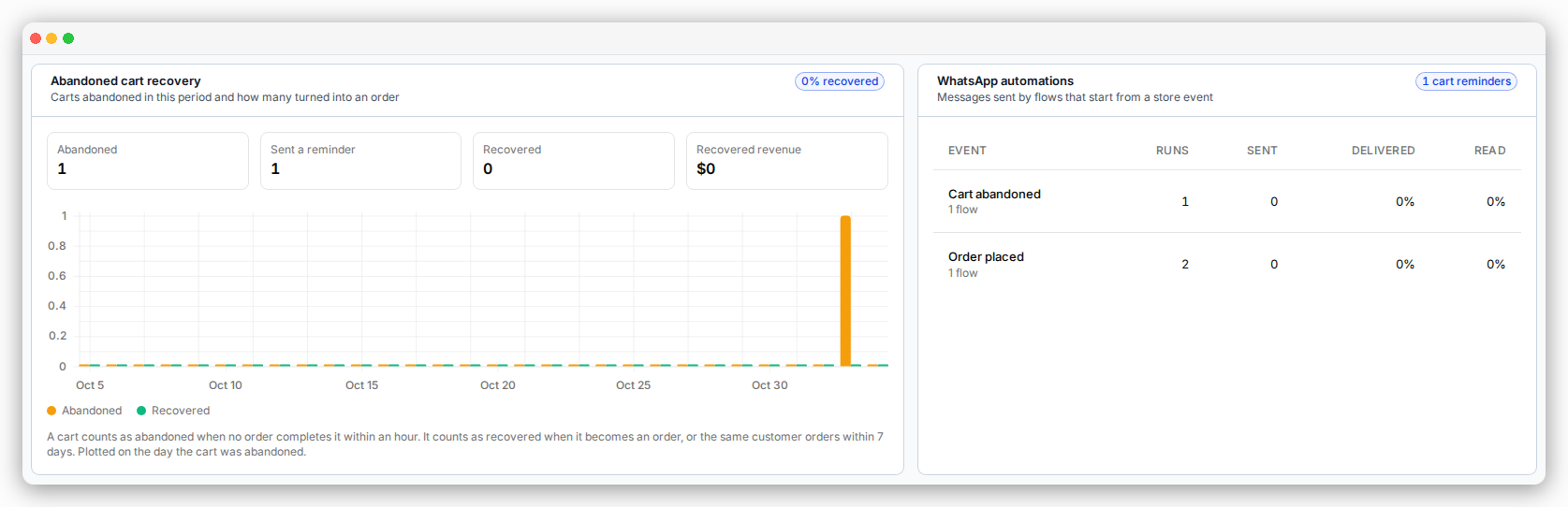
- Abandoned — carts where the shopper reached checkout and left without paying.
- Recovered — abandoned carts that later became an order.
- Sent a reminder — abandoned carts that got a WhatsApp reminder.
WhatsApp automations
This table shows each store event, like Cart abandoned or Order shipped. For each one you see:- Runs — how many times the automations started.
- Sent, Delivered and Read — what happened to the messages they sent.
No store connected yet
You see a Connect your Shopify store card instead. See Install from Shopify.Where to next
Recover abandoned carts
Set up the reminders that feed these numbers.
Dashboard & usage
The rest of your dashboard: usage, campaigns and charts.