

Only the workspace owner can change or cancel the plan.
Team members can be allowed to view billing and invoices, but not to change them.
Free trial
Your plan may start with a free trial. Shopify shows the trial on the approval screen when you pick the plan.- Each store gets the trial only once.
- When the trial ends, Shopify charges you. You don’t need to do anything.
- To avoid the charge, cancel before the trial ends. See Cancel below.
Where to see your plan
You can see your plan in two places:- In your Shopify admin: open ChatFlows and click Plan & billing. You see your Current plan and a Billing summary with the next charge date and amount.
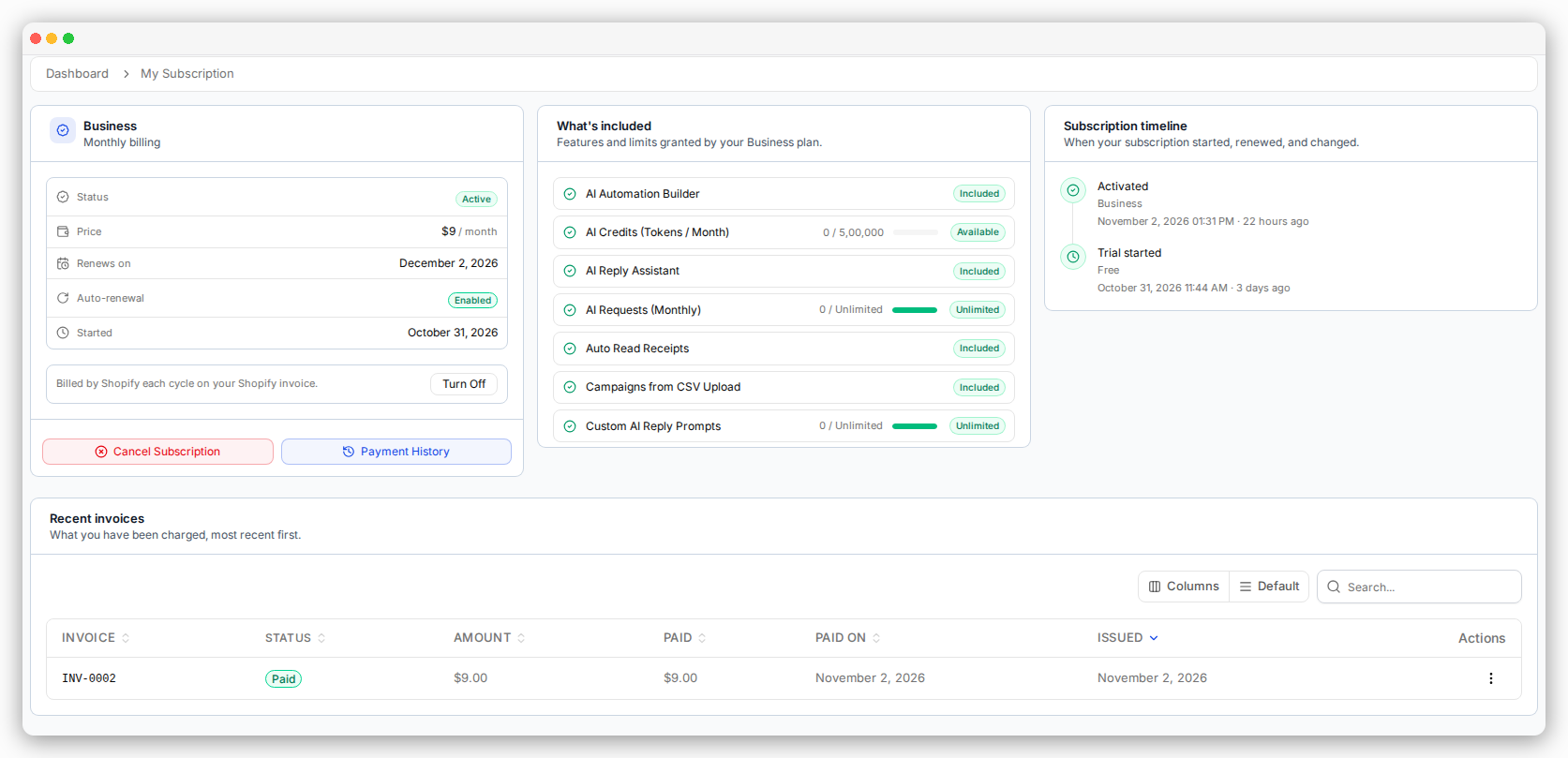
- In your dashboard: click your name at the bottom of the menu, then My Subscription.
Upgrade your plan
1
Open Plan & billing
In your Shopify admin, open ChatFlows and click Plan & billing.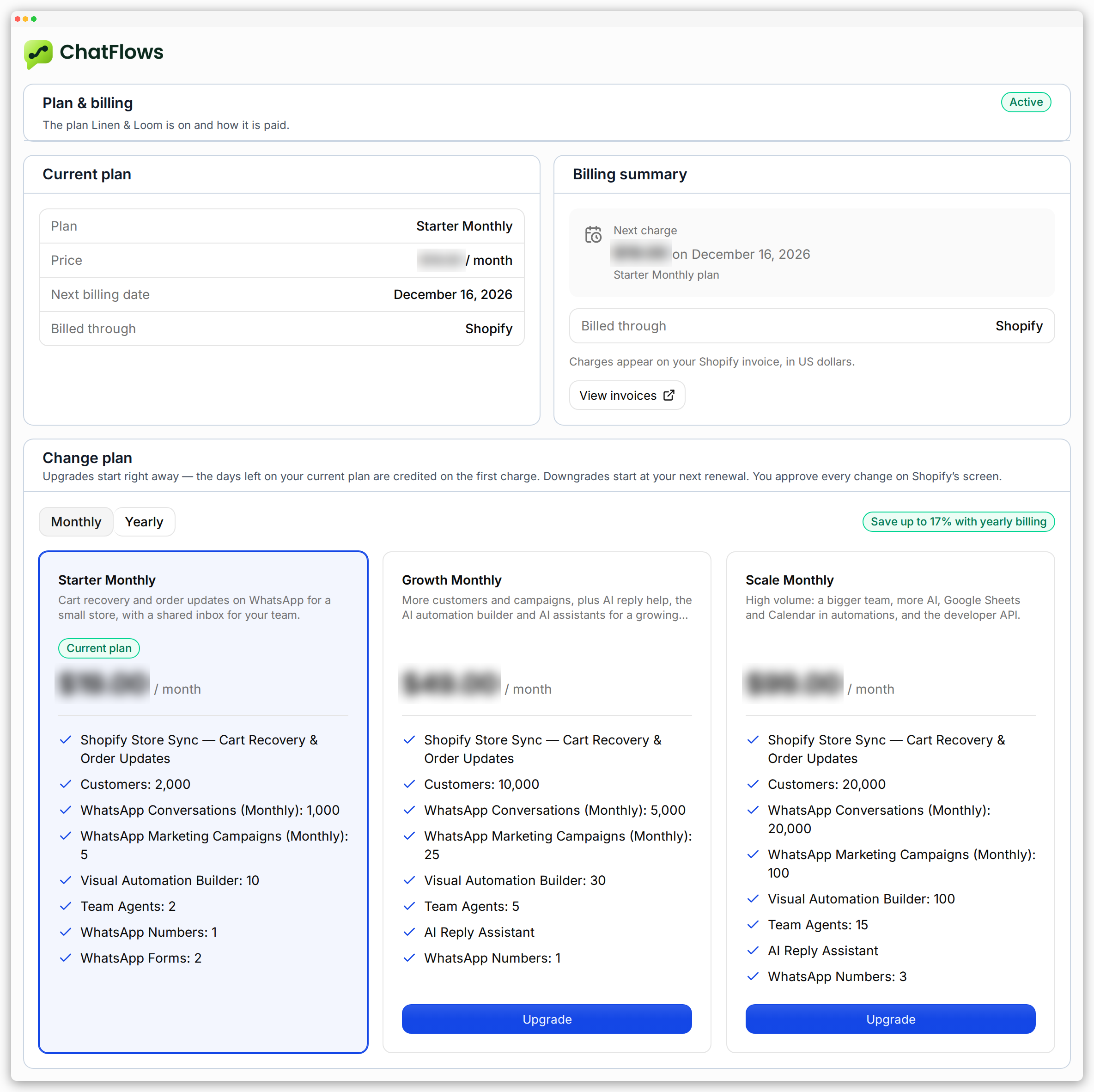
2
Pick a plan
Under Change plan, choose Monthly or Yearly, then click Upgrade on the plan you want.
A box shows the new plan’s price, the credit for your unused days, and what you pay today.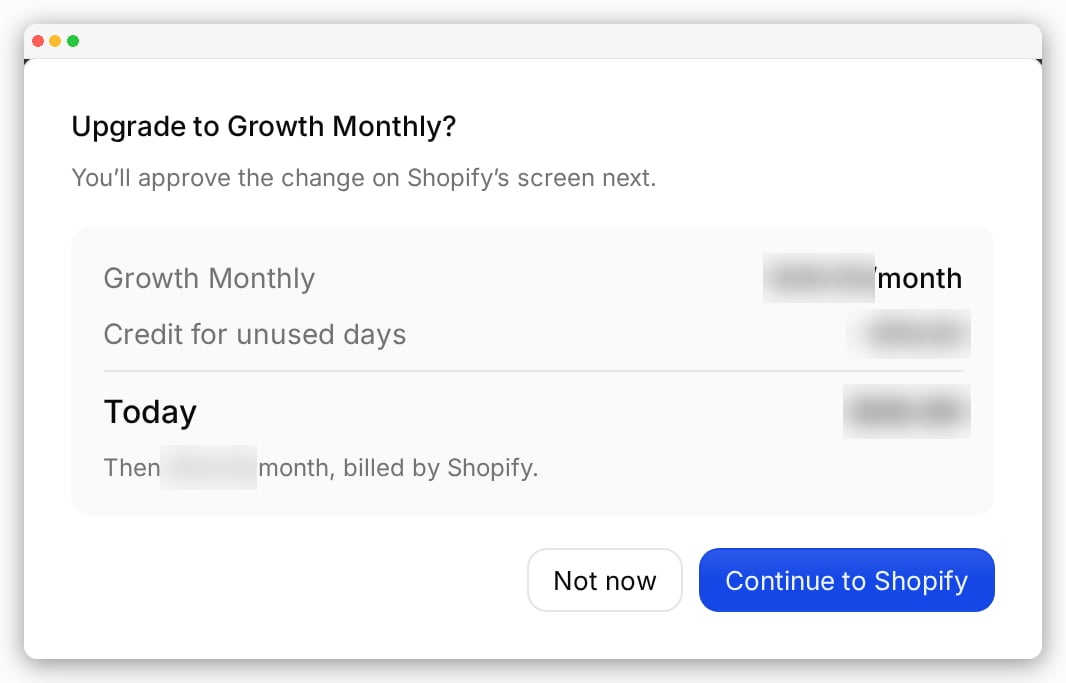
3
Approve in Shopify
Click Continue to Shopify. Shopify shows its own approval screen. Approve it.
Downgrade your plan
Follow the same steps and pick a cheaper plan. Then approve in Shopify. You keep your current plan until your next renewal date. Then the new plan starts. Until then, Plan & billing shows the scheduled change with an Undo button.Invoices
Every charge creates an invoice.- In your Shopify admin, open Plan & billing and click View invoices.
- Or, in your dashboard, open Invoices from the menu under your name.
Cancel your plan
You can cancel in any of these ways:- Uninstall the ChatFlows app from your Shopify store.
- In your dashboard, open My Subscription and click Cancel Subscription.
- In your dashboard, open My Subscription and turn off auto-renewal.
If your account is suspended
You see an Account Suspended screen instead of your workspace. You can’t fix this yourself.Where to next
Billing details
The company details on your invoices.
Dashboard & usage
See how much of your plan you have used.